

/ augmented translation actions /
AI in the editor, on your terms
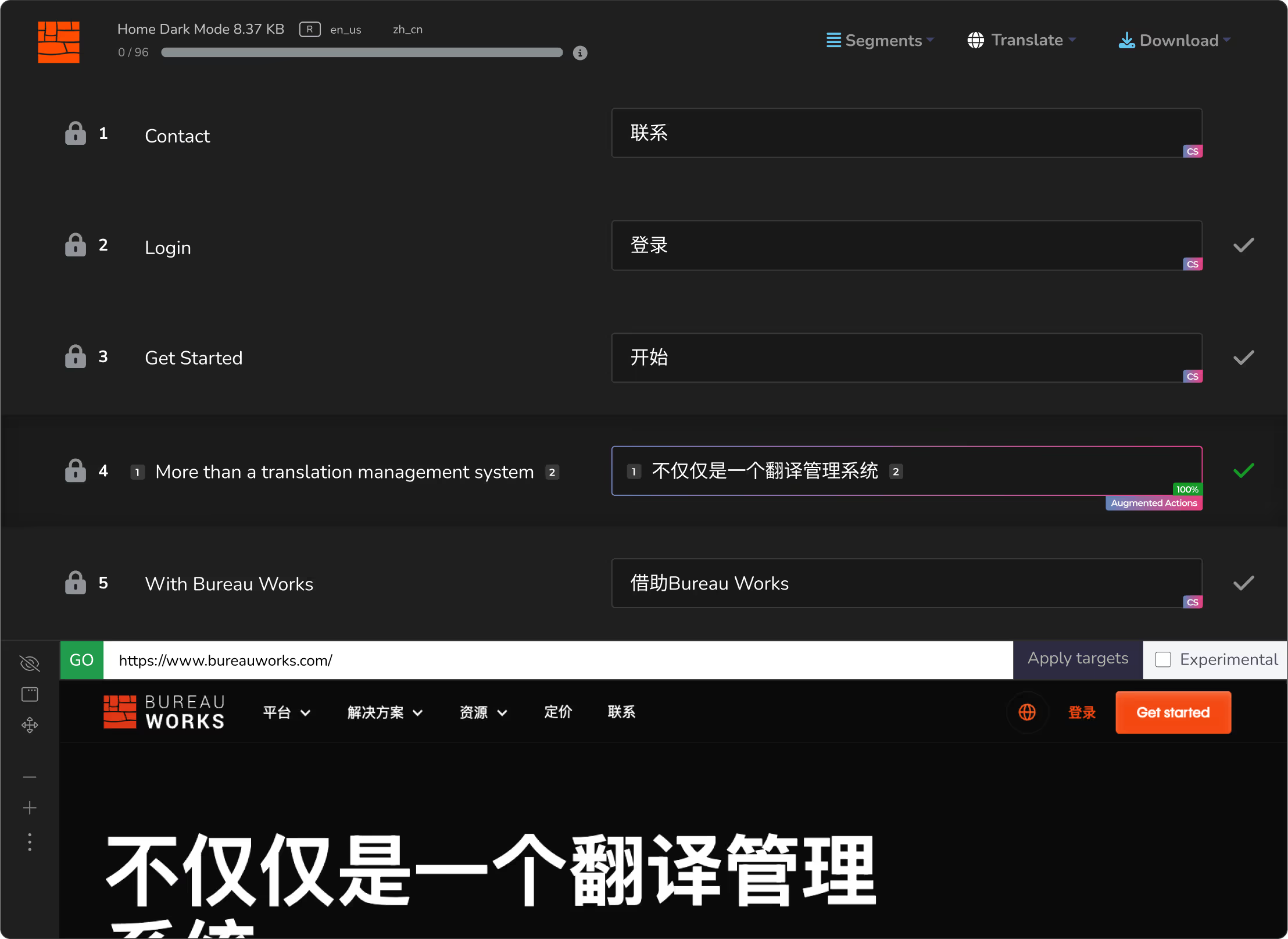
Augmented Translation Actions are the AI tools inside the wxrks editor. They suggest from your memory and glossary, check meaning, and offer alternatives. You choose which ones each team and each project can use.
See the actions on your content- 10 AI actions you can block by account, unit, or project
- 84 of 100 AI suggestions kept with no edit in our research
- SOC 2 Type 2 held since 2020, audited independently
/ teams that run translation on wxrks /







/ context sensitivity /
A suggestion with its sources shown
A general AI tool hands you a fluent sentence and no way to tell where it came from.
Context Sensitivity is how wxrks builds each suggestion. It gathers your memory matches, glossary terms, instructions, and similar past work, and ranks them for that sentence. The AI model you chose decides from them. Each suggestion shows the memory matches and glossary terms it came from, so your linguist can check it before accepting.
/ smells /
A meaning check that explains itself
Spell checks and tag checks pass a sentence that says the opposite of the source.
Smells is the wxrks check for meaning. It flags omissions, distortions, incorrect translations, inconsistencies, awkward phrasing, and cultural bias, and it shows why. It reads your glossary, memory, and instructions before it flags, and it catches drift from an approved translation. Set its sensitivity to Low, Standard, or High.
Alternatives, terms, and fixes as you work
For a headline like “Birthday’s origin,” you see “De dónde viene el cumpleaños” and “Origen del cumpleaños,” each with a back translation into English. A project can require a minimum number of alternatives.
Suggestions from your glossary, memory, and AI. Tab accepts. Forbidden terms never appear.
Learning Terms reads your projects and suggests terms to add, so your glossary grows while you translate.
Small mechanical issues are fixed automatically, so reviewers spend their time on meaning.
/ your controls /
You choose the AI each team uses
Your legal team may want fewer AI actions than your marketing team. Block any of the ten AI actions for the whole account, one organizational unit, or one project. Settings flow down, and the most specific one wins.
Pick the model for each job. Set up Sous-Chef, the wxrks agent for tone and style, with the audience, tone, and formality each kind of content needs. The usage dashboard shows AI tokens by feature and by unit, with a forecast.
Questions about AI in the editor
Which AI model runs the actions?
The one you choose for each job. Pick OpenAI, Anthropic, Google, Groq, or Cerebras, or connect your own keys. Each organizational unit can use a different model.
Can we turn off an AI action?
Yes. Block any of the ten AI actions for the account, one organizational unit, or one project.
Is our content used to train AI models?
No. wxrks uses stateless models, which keep nothing between requests. Your learning stays in your memories, glossaries, and instructions, in your account. It’s written into our data processing agreement.
Do the actions replace our linguists?
No. They work inside the editor your linguists use. Each linguist accepts, changes, or rejects every suggestion, and what they confirm goes back into your memory.